AI SDK Explained: The Complete Guide to Building AI Applications in 2026
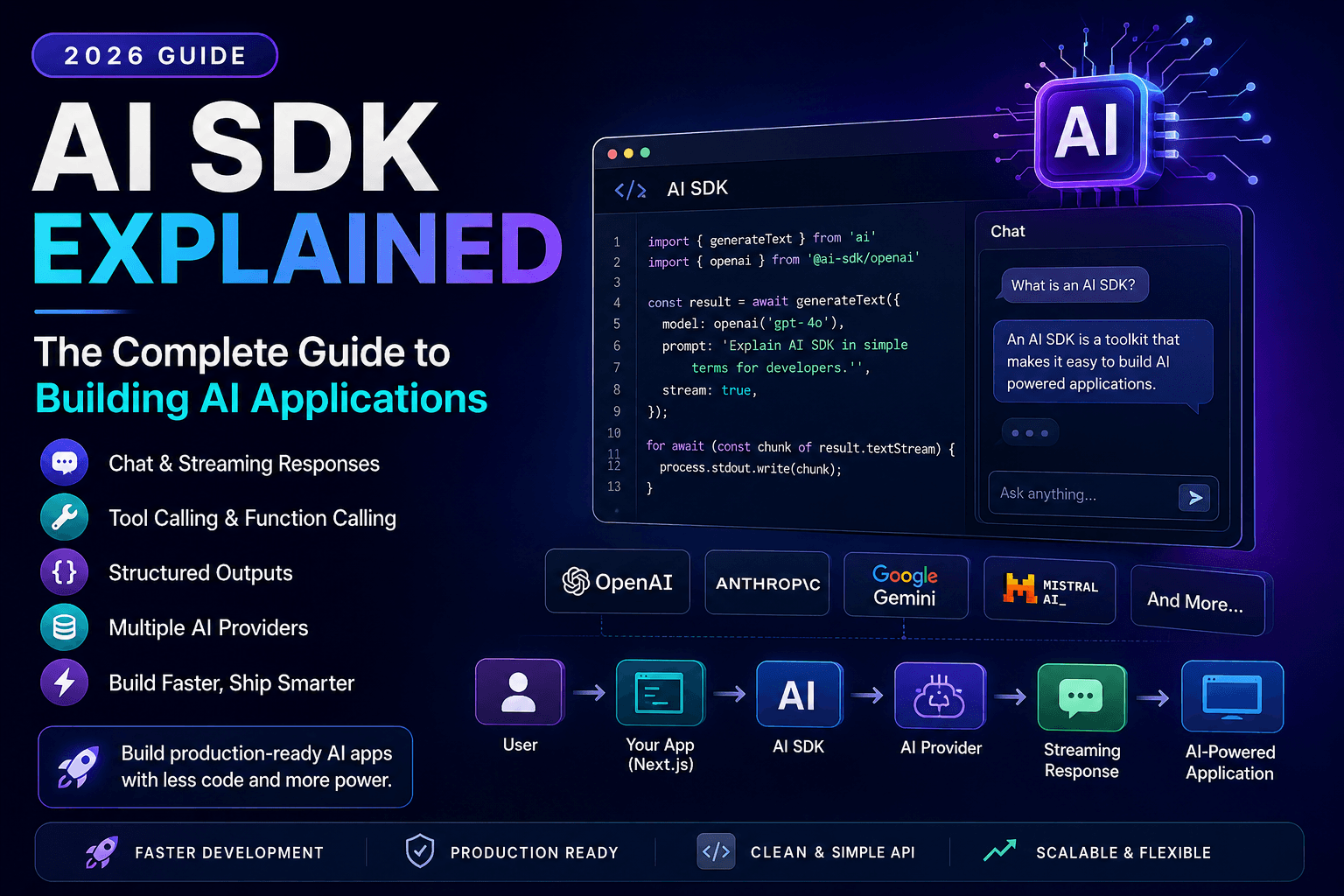
Discover how AI SDKs simplify building AI-powered applications. Learn streaming responses, tool calling, chat interfaces, structured outputs, and production best practices.
Artificial Intelligence has changed software development faster than almost any technology in recent history.
Just a few years ago, building an AI application meant writing hundreds of lines of API code, manually handling responses, managing conversation history, and implementing complex streaming logic yourself.
Today, developers can build sophisticated AI applications in a fraction of the time thanks to AI SDKs.
Whether you're creating an AI chatbot, coding assistant, document analyzer, customer support platform, or autonomous AI agent, an AI SDK removes much of the repetitive work and lets you focus on building features.
In this complete guide, you'll learn what an AI SDK is, how it works, why it matters, and how developers use it to build production-ready AI applications.
What Is an AI SDK?
An AI SDK (Software Development Kit) is a collection of tools, libraries, utilities, and APIs that simplify integrating Artificial Intelligence into software applications.
Instead of manually writing HTTP requests to AI providers, handling authentication, parsing responses, implementing streaming, and managing conversations, developers use an SDK that abstracts these complexities.
Think of an AI SDK as a toolkit that lets developers focus on building products rather than infrastructure.
Modern AI SDKs typically support:
- Chat interfaces
- Streaming responses
- Multiple AI providers
- Tool calling
- Structured outputs
- Image generation
- Embeddings
- Function calling
- Conversation memory
Why Developers Use AI SDKs
Without an SDK, integrating AI can become repetitive and difficult to maintain.
Developers would need to:
- Handle authentication
- Manage API requests
- Retry failed requests
- Parse JSON responses
- Build streaming functionality
- Handle rate limits
- Maintain chat history
An AI SDK provides these features out of the box.
Benefits include:
- Faster development
- Cleaner code
- Better maintainability
- Improved scalability
- Easier provider switching
How an AI SDK Works
A typical workflow looks like this:
User
 ↓
Next.js App
 ↓
AI SDK
 ↓
AI Provider
 ↓
Streaming Response
 ↓
User Interface
The SDK sits between your application and the AI model.
It translates requests, handles communication, manages responses, and exposes developer-friendly functions.
Core Features of Modern AI SDKs
Most modern AI SDKs provide a similar set of capabilities.
1. Chat Completion
The SDK allows developers to generate conversational responses from language models.
Instead of writing raw HTTP requests, developers simply call a function and receive structured output.
This dramatically reduces boilerplate code.
2. Streaming Responses
Streaming is one of the biggest improvements in modern AI applications.
Instead of waiting for the entire response, tokens arrive continuously.
Benefits include:
- Faster perceived performance
- Better user experience
- Lower abandonment rates
- Real-time conversations
Streaming has become the standard for modern AI chat applications.
Learn more in:
3. Multiple AI Providers
Modern SDKs often support several AI providers through a single interface.
Examples include:
- OpenAI
- Anthropic Claude
- Google Gemini
- xAI Grok
- DeepSeek
This allows developers to switch providers without rewriting large portions of their application.
4. Tool Calling
AI models can now interact with external tools.
Examples:
- Weather APIs
- Databases
- Email services
- File systems
- Payment gateways
- Search engines
Instead of simply answering questions, AI can perform actions.
This capability powers modern AI agents.
5. Structured Outputs
Sometimes developers don't want paragraphs of text.
Instead, they need structured data.
Example:
{
  "name": "John",
  "age": 30,
  "role": "Developer"
}
Modern SDKs help generate predictable JSON responses.
This makes integrating AI into applications significantly easier.
Popular AI SDKs in 2026
Several SDKs dominate modern AI development.
Vercel AI SDK
One of the most popular SDKs for React and Next.js developers.
Key features:
- Streaming UI
- React hooks
- Multiple providers
- Tool calling
- Server Actions support
It's especially popular among startups building AI SaaS products.
OpenAI SDK
Official SDK for integrating OpenAI models.
Developers commonly use it for:
- Chat applications
- Content generation
- Image generation
- Embeddings
- Speech recognition
Read:
LangChain
LangChain focuses on orchestrating AI workflows.
Features include:
- Chains
- Agents
- Memory
- Retrieval
- Prompt templates
LlamaIndex
Designed primarily for Retrieval-Augmented Generation (RAG).
It helps AI systems retrieve relevant information before generating responses.
Ideal for:
- Documentation assistants
- Internal company search
- Enterprise knowledge bases
AI SDK vs Direct API Calls
Many beginners ask:
“"Why not just call the API directly?"
Here's a comparison:
| Feature | AI SDK | Direct API |
|---|---|---|
| Faster Development | ✅ | ❌ |
| Streaming Support | ✅ | Manual |
| Tool Calling | ✅ | Manual |
| Conversation Handling | ✅ | Manual |
| Provider Switching | Easy | Difficult |
| Cleaner Code | ✅ | ❌ |
For most modern applications, an SDK is the preferred approach.
Real-World Applications
AI SDKs power thousands of modern applications.
Examples include:
- AI Chatbots
- Coding Assistants
- Customer Support
- AI Search
- Writing Assistants
- Document Summarizers
- Medical Assistants
- Educational Platforms
- SaaS Products
If you've used ChatGPT-style interfaces, you've likely interacted with software built using an AI SDK.
AI SDK + RAG
One of the most powerful combinations in modern AI development is:
User
 ↓
AI SDK
 ↓
Retriever
 ↓
Vector Database
 ↓
LLM
 ↓
Streaming Answer
This allows AI applications to answer questions using private company data rather than relying only on model training.
Learn more:
Choosing the Right AI SDK
Ask yourself:
- Which AI providers do I need?
- Do I require streaming?
- Will I build AI agents?
- Do I need structured outputs?
- Will my app use RAG?
- Which frontend framework am I using?
The answers will help determine which SDK best fits your project.
Best Practices for Using an AI SDK
Building an AI application is about more than connecting an API.
A production-ready application should be fast, reliable, secure, and easy to maintain.
Here are some best practices every developer should follow.
Choose the Right Model
Not every task requires the most powerful (or expensive) AI model.
For example:
- Small chatbots may use lightweight models.
- Coding assistants benefit from stronger reasoning models.
- Summarization often works well with smaller models.
Selecting the appropriate model helps reduce costs while maintaining performance.
Stream Responses
Always stream responses when building conversational interfaces.
Streaming:
- Improves perceived performance
- Keeps users engaged
- Makes AI feel more responsive
Modern users expect ChatGPT-style streaming experiences.
Cache Repeated Requests
Many users ask similar questions repeatedly.
Caching responses can:
- Reduce API costs
- Improve response times
- Reduce server load
This is especially useful for documentation assistants and customer support systems.
Validate User Input
Never send raw user input directly to an AI model.
Always validate:
- Empty requests
- Extremely long prompts
- Malicious inputs
- Unsupported file types
Input validation improves both security and application stability.
Monitor Token Usage
Most AI providers charge based on tokens.
Track:
- Prompt tokens
- Completion tokens
- Daily usage
- Cost per request
Monitoring usage helps prevent unexpected bills.
Security Considerations
AI applications often process sensitive information.
Developers should avoid:
- Sending passwords
- API keys
- Personal information
- Financial records
- Private company secrets
Whenever possible:
- Encrypt sensitive data
- Authenticate users
- Use secure APIs
- Apply rate limiting
Security should always be considered during application design.
Common Mistakes Developers Make
Even experienced developers make mistakes when building AI applications.
Choosing the Largest Model Every Time
Bigger models aren't always better.
Smaller models can often perform specific tasks faster and at a lower cost.
Ignoring Error Handling
API failures happen.
Always handle:
- Rate limits
- Network failures
- Invalid responses
- Timeout errors
Graceful error handling improves user experience.
Forgetting Conversation History
Without memory, every request becomes independent.
Maintaining conversation context creates more natural interactions.
Poor Prompt Design
Prompt engineering is just as important as choosing the right model.
Learn more:
Ignoring AI Hallucinations
Every large language model can produce incorrect information.
Always validate responses before presenting them to users.
Read:
AI SDK + Next.js
Next.js has become one of the most popular frameworks for AI development.
Why?
Because it provides:
- Server Components
- API Routes
- Route Handlers
- Server Actions
- Edge Runtime
- Excellent performance
Combined with an AI SDK, developers can quickly build production-ready AI applications.
Typical architecture:
Browser
 ↓
Next.js
 ↓
AI SDK
 ↓
LLM Provider
 ↓
Streaming UI
AI SDK + MCP
The Model Context Protocol (MCP) is becoming an important standard for connecting AI models to external tools and data sources.
Instead of writing custom integrations for every service, MCP provides a standardized way for AI systems to communicate with:
- Databases
- File systems
- APIs
- Business applications
- Developer tools
When combined with an AI SDK, MCP enables applications to access real-time information and perform actions beyond simple text generation.
AI SDK + LangChain
Many developers combine an AI SDK with LangChain.
Why?
Because each solves different problems.
The SDK handles:
- Model communication
- Streaming
- Provider integration
LangChain manages:
- Memory
- Retrieval
- Prompt templates
- Chains
- Agents
Together, they create powerful AI applications.
Performance Tips
If you're building AI applications for production, consider these optimizations:
- Stream responses instead of waiting for complete output.
- Cache common prompts.
- Compress large payloads.
- Use server-side rendering where appropriate.
- Minimize unnecessary API calls.
- Monitor latency and response times.
- Optimize prompts to reduce token usage.
Small improvements can significantly enhance user experience.
Frequently Asked Questions
What is the best AI SDK?
There isn't a single best option.
For Next.js and React developers, the Vercel AI SDK is an excellent choice due to its developer experience and support for multiple AI providers.
Can I switch AI providers later?
Yes.
Many AI SDKs provide a unified interface that makes switching providers much easier than writing raw API integrations.
Is an AI SDK free?
Most SDKs are open source.
However, you'll usually pay for usage of the underlying AI models.
Do I need an AI SDK?
Not necessarily.
Small experiments can use direct API calls.
However, once your application grows, an SDK saves considerable development time and improves maintainability.
Can beginners use an AI SDK?
Absolutely.
Modern AI SDKs are designed to simplify AI development, making them suitable for both beginners and experienced developers.
Further Reading
Continue learning AI application development with these guides:
- OpenAI API Complete Guide
- Build an AI Chatbot with Next.js
- Build a RAG Chatbot with Next.js
- RAG Explained for Developers
- Prompt Engineering Complete Guide
- AI Coding Assistants Explained
Final Verdict
AI SDKs have become one of the most important building blocks in modern software development.
Rather than spending time implementing low-level API communication, developers can focus on building features that deliver real value to users.
Whether you're creating AI chatbots, coding assistants, enterprise knowledge systems, SaaS platforms, or autonomous AI agents, a well-designed AI SDK accelerates development while improving scalability and maintainability.
As AI continues to evolve, developers who understand SDKs, Retrieval-Augmented Generation (RAG), prompt engineering, tool calling, and emerging standards like the Model Context Protocol (MCP) will be well positioned to build the next generation of intelligent applications.
If you're serious about AI development in 2026 and beyond, learning how to use an AI SDK isn't just helpful—it's becoming an essential skill.
Related Articles
More from the AI + Code category
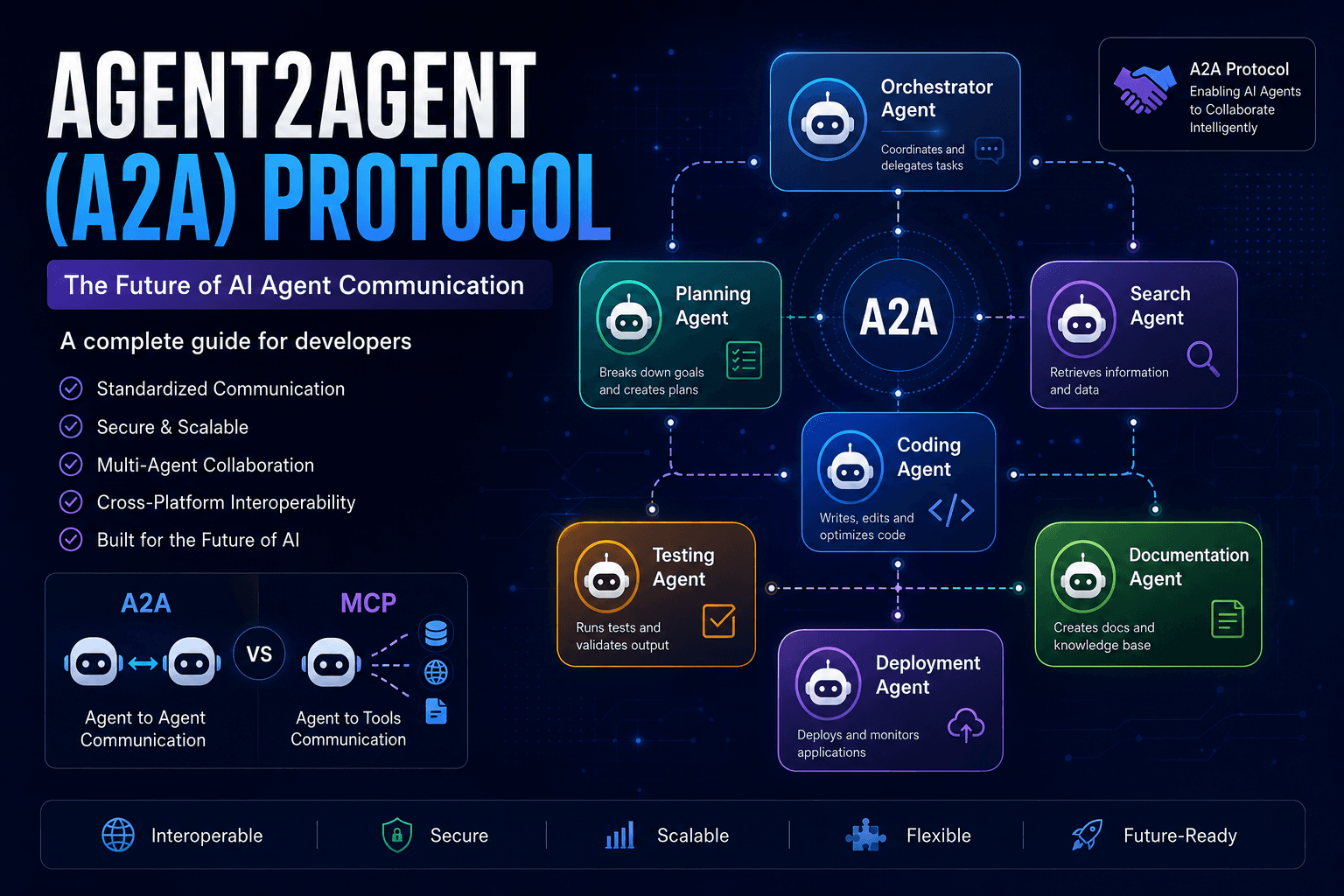
Agent2Agent (A2A) Protocol Explained: The Complete Developer Guide for 2026
Discover how the Agent2Agent (A2A) Protocol enables AI agents to collaborate securely and efficiently. Learn its architecture, use cases, benefits, and how it compares with MCP.
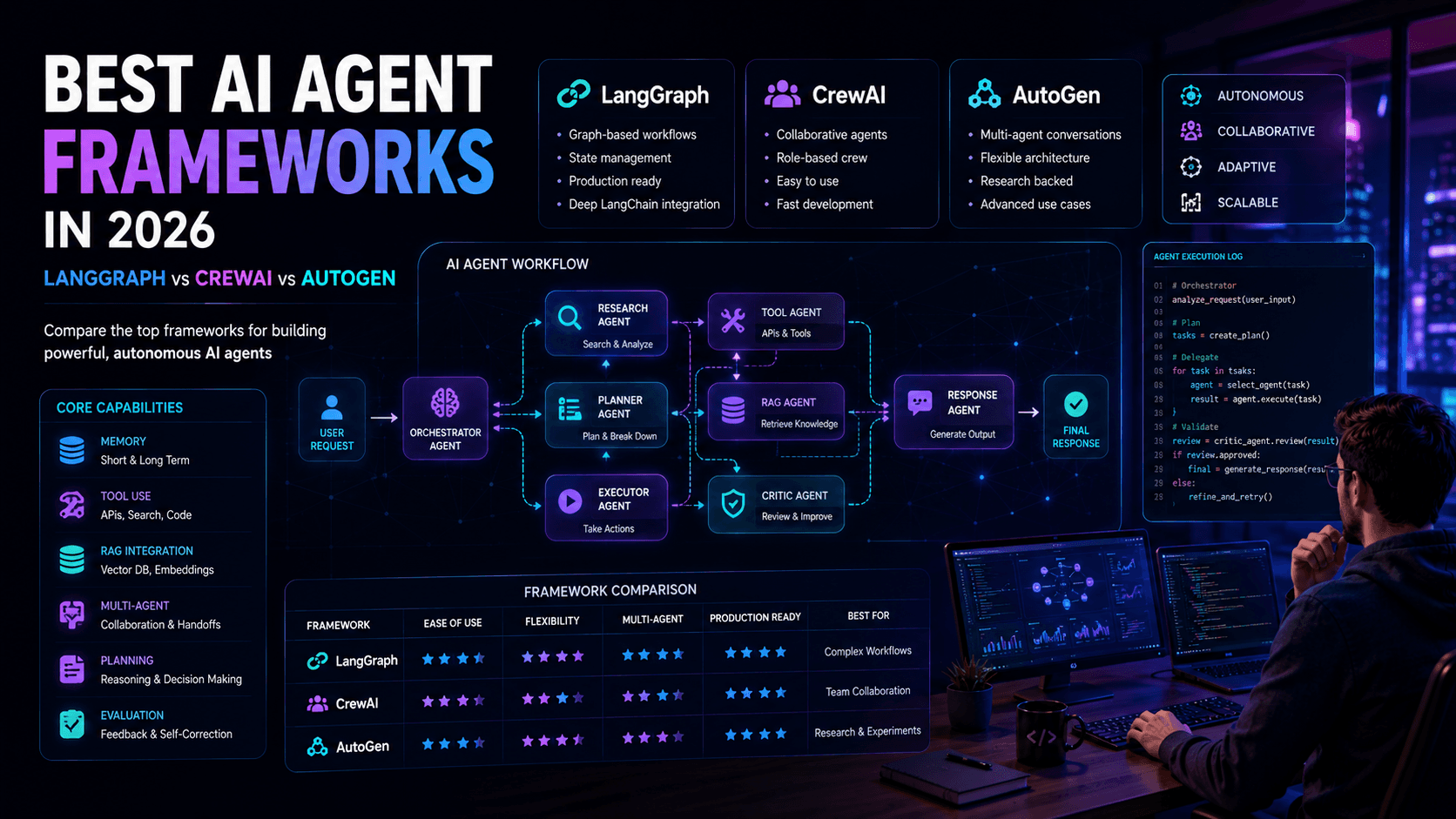
Best AI Agent Frameworks in 2026: LangGraph vs CrewAI vs AutoGen
Looking to build AI agents? This guide compares LangGraph, CrewAI, AutoGen, and other leading AI agent frameworks to help developers choose the right solution.
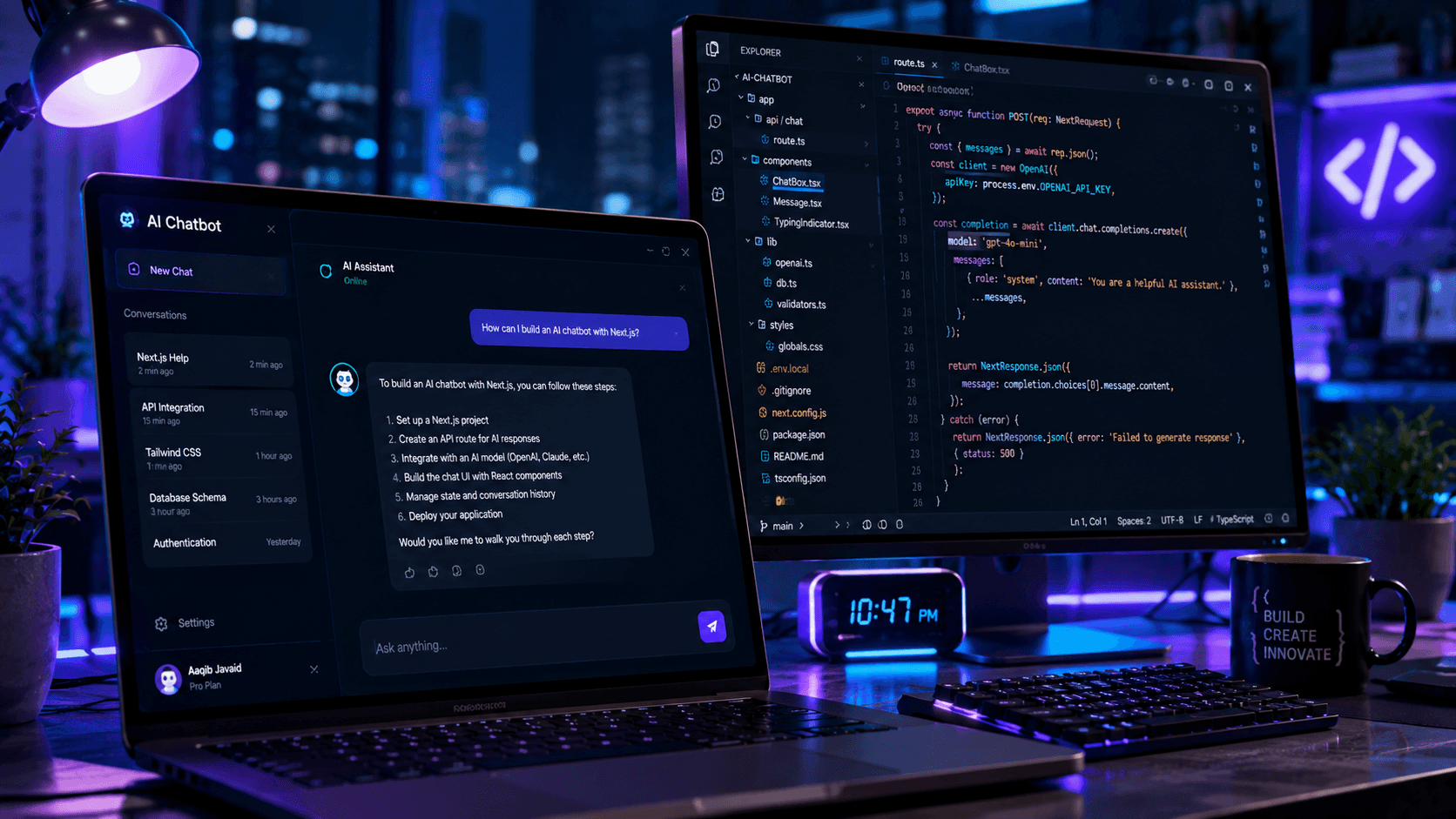
Build an AI Chatbot with Next.js: Complete Developer Guide
Want to build your own AI chatbot? This guide walks through creating an AI-powered chatbot with Next.js, React, and modern AI APIs.