LangChain Tutorial for Developers: Build AI Applications with LangChain
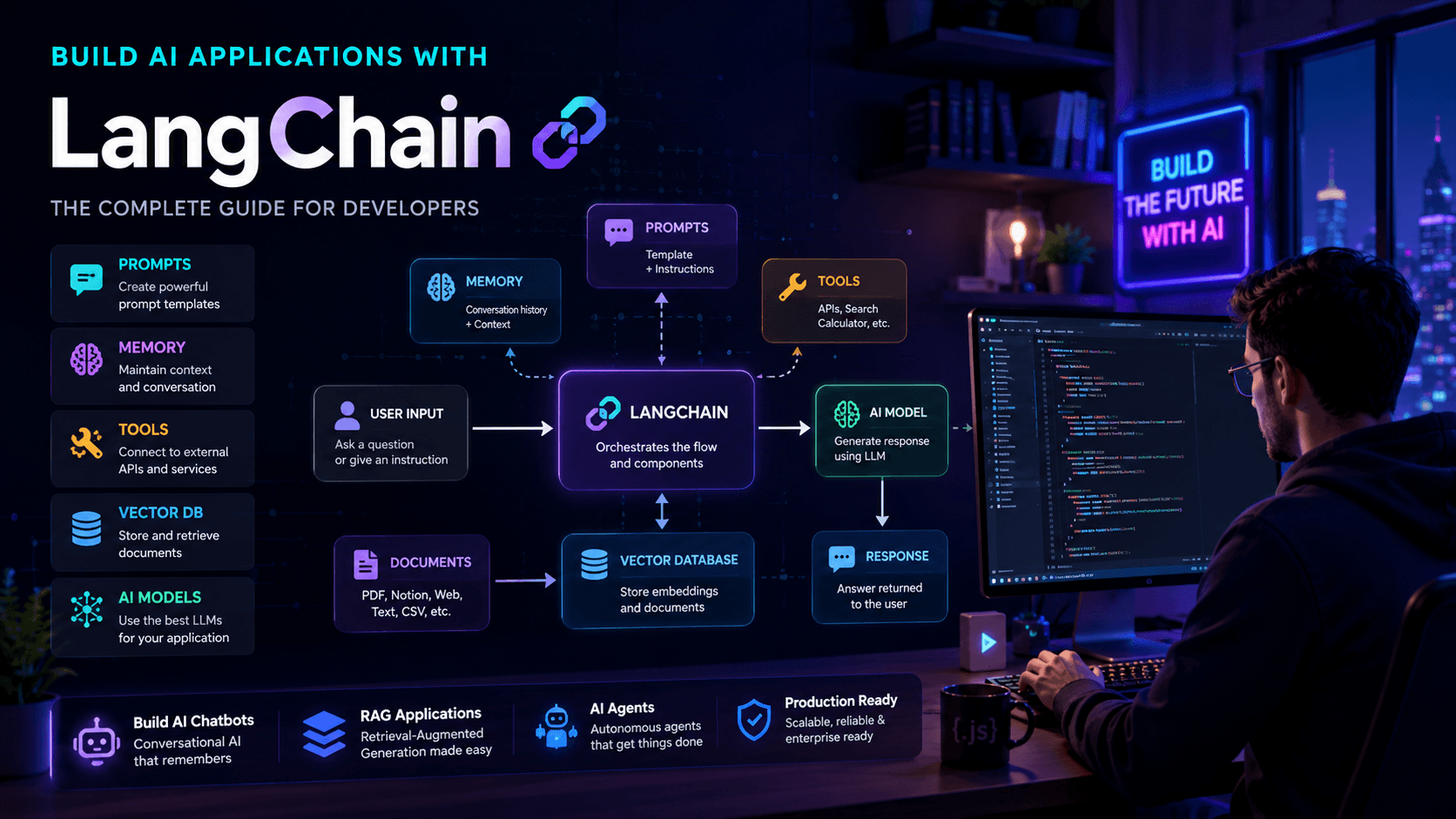
LangChain is one of the most popular frameworks for building AI applications. Learn how developers use LangChain for chatbots, RAG systems, and AI agents.
Artificial Intelligence development has evolved far beyond simple API calls. Modern AI applications often require memory, tool usage, document retrieval, multi-step reasoning, and workflow orchestration.
Managing all these components manually can quickly become complex.
This is where LangChain comes in.
LangChain has become one of the most widely used frameworks for building AI-powered applications because it provides developers with the tools needed to connect language models, memory systems, databases, APIs, and external services into a single workflow.
Whether you're building an AI chatbot, a Retrieval-Augmented Generation (RAG) system, or an autonomous AI agent, LangChain can significantly simplify development.
In this guide, you'll learn what LangChain is, how it works, and how developers use it to build production-ready AI applications.
What Is LangChain?
LangChain is an open-source framework designed to help developers build applications powered by large language models (LLMs).
Instead of interacting directly with an AI model, LangChain provides a structured way to connect:
- Language models
- Prompt templates
- Memory
- External tools
- APIs
- Databases
- Retrieval systems
This allows developers to build more capable AI applications without reinventing common functionality.
Why Developers Use LangChain
Many AI applications require more than a simple prompt and response.
For example:
- AI chatbots need conversation memory
- Customer support systems need company documentation
- AI agents need tools and decision-making workflows
- Enterprise applications need data retrieval
Without a framework, developers must build these systems manually.
LangChain provides reusable components that simplify development.
If you're new to AI APIs, start with our OpenAI API Complete Guide before diving deeper into LangChain.
Core Components of LangChain
1. Language Models
The language model is the brain of the application.
Examples include:
- GPT models
- Claude models
- Gemini models
LangChain provides a consistent interface for working with multiple AI providers.
2. Prompt Templates
Prompt templates help developers create reusable prompts.
Example:
const template =
  "Explain {topic} for beginners";
This makes prompts easier to maintain and scale.
3. Memory
Memory allows AI applications to remember previous interactions.
Without memory:
User: My name is Aaqib.
AI: Nice to meet you.

Later...

User: What's my name?
AI: I don't know.
With memory enabled, the AI can retain context throughout a conversation.
4. Tools
Tools allow AI applications to interact with external systems.
Examples include:
- Search engines
- APIs
- Databases
- Email systems
- Calendars
Tools transform an AI model from a text generator into a capable assistant.
5. Chains
Chains combine multiple steps into a workflow.
Example:
User Question
 ↓
Retrieve Data
 ↓
Generate Answer
 ↓
Return Result
This is where LangChain gets its name.
Building an AI Chatbot with LangChain
One of the most common use cases is creating AI chatbots.
A typical chatbot workflow looks like:
User Message
 ↓
Prompt Template
 ↓
Language Model
 ↓
Response
Developers often combine LangChain with frameworks like Next.js.
If you're building a frontend AI application, see our guide on Build an AI Chatbot with Next.js.
LangChain and RAG
LangChain is frequently used for Retrieval-Augmented Generation.
A typical RAG system includes:
User Question
 ↓
Retriever
 ↓
Vector Database
 ↓
Relevant Documents
 ↓
LLM
 ↓
Answer
This architecture allows AI applications to access private or domain-specific knowledge.
To learn more, read RAG Explained for Developers.
Building AI Agents with LangChain
LangChain is also popular for building AI agents.
An AI agent can:
- Make decisions
- Use tools
- Execute actions
- Plan workflows
Example:
Goal:
Research remote React jobs.
The agent might:
- Search job boards
- Filter results
- Compare salaries
- Generate a summary
without additional instructions.
Learn more in How AI Agents Work.
Benefits of LangChain
Faster Development
Developers spend less time building infrastructure.
Reusable Components
Prompts, memory, and tools can be reused across projects.
Multi-Model Support
Switching between AI providers becomes easier.
Large Ecosystem
The framework integrates with many third-party services.
Common Challenges
Learning Curve
LangChain introduces many concepts that beginners must learn.
Rapid Updates
The ecosystem evolves quickly.
Complexity
Simple applications may not need LangChain.
Developers should evaluate whether the framework fits their project requirements.
Best Practices
- Start with small projects
- Use prompt templates
- Monitor AI outputs
- Keep chains simple
- Evaluate performance regularly
Following these practices will make LangChain applications easier to maintain.
Frequently Asked Questions
Is LangChain free?
Yes.
LangChain is open source.
Do I need LangChain to build AI applications?
No.
Many applications can be built directly using AI APIs.
Is LangChain good for RAG?
Absolutely.
RAG is one of LangChain's most popular use cases.
Can I use LangChain with Next.js?
Yes.
Many AI applications combine LangChain with Next.js and React.
Further Reading
Continue exploring AI development with these guides:
- OpenAI API Complete Guide
- Build an AI Chatbot with Next.js
- RAG Explained for Developers
- How AI Agents Work
Final Verdict
LangChain has become one of the most important frameworks in the AI development ecosystem.
By providing tools for prompts, memory, retrieval, chains, and agents, it enables developers to build sophisticated AI applications without managing every component from scratch.
Whether you're creating chatbots, RAG systems, or autonomous agents, understanding LangChain is a valuable skill that will continue to grow in importance as AI-powered software becomes more common.
Related Articles
More from the AI + Code category
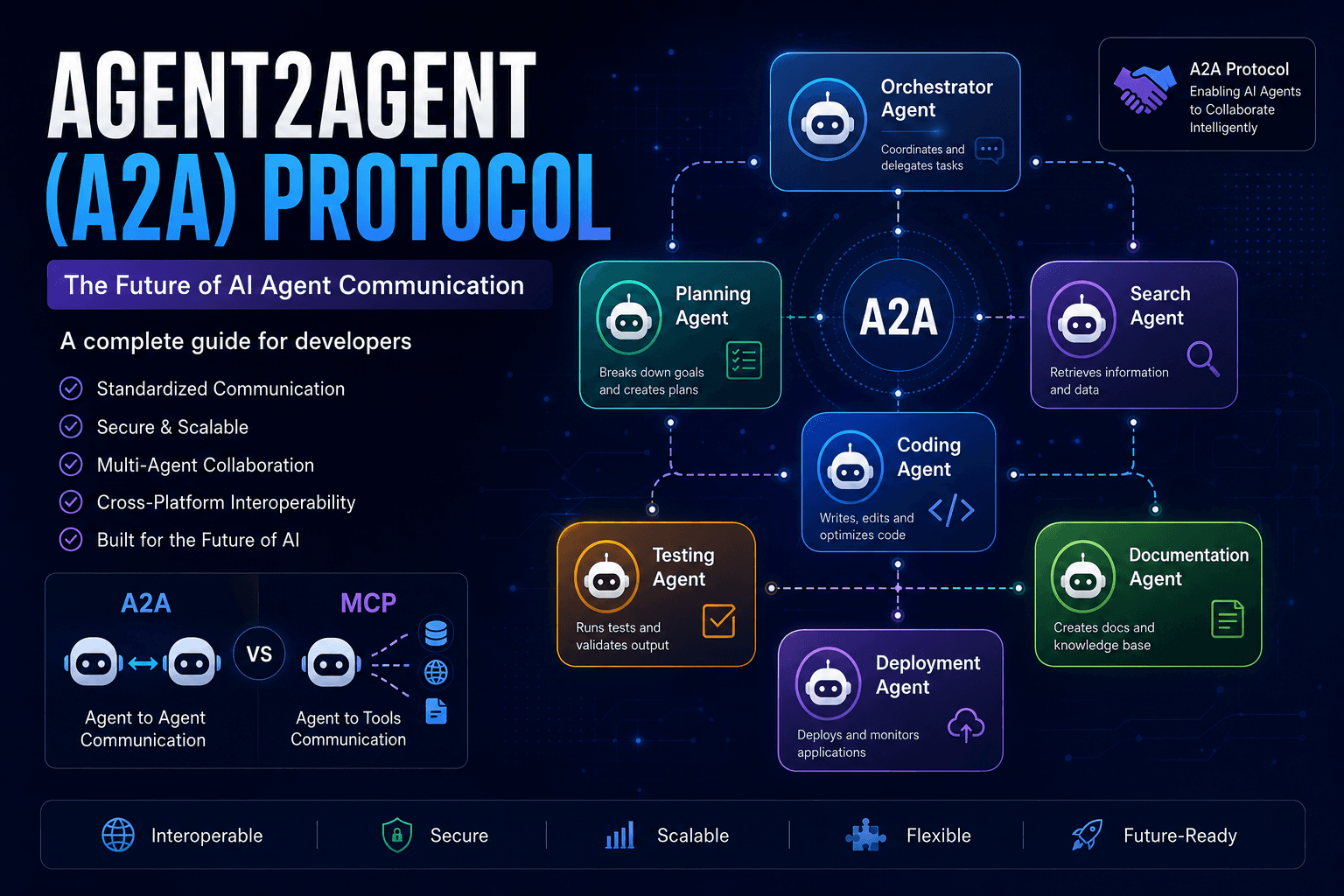
Agent2Agent (A2A) Protocol Explained: The Complete Developer Guide for 2026
Discover how the Agent2Agent (A2A) Protocol enables AI agents to collaborate securely and efficiently. Learn its architecture, use cases, benefits, and how it compares with MCP.
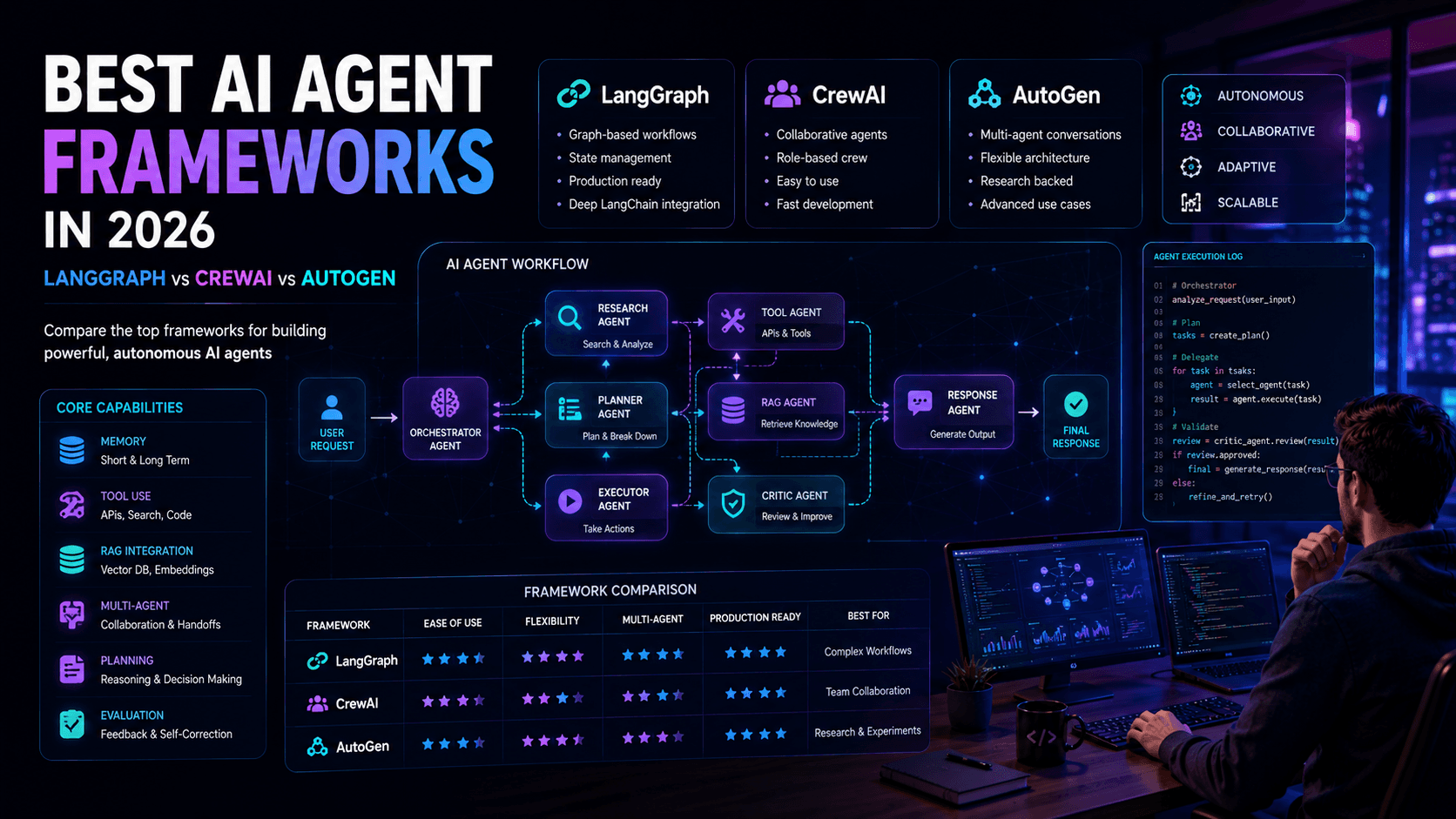
Best AI Agent Frameworks in 2026: LangGraph vs CrewAI vs AutoGen
Looking to build AI agents? This guide compares LangGraph, CrewAI, AutoGen, and other leading AI agent frameworks to help developers choose the right solution.
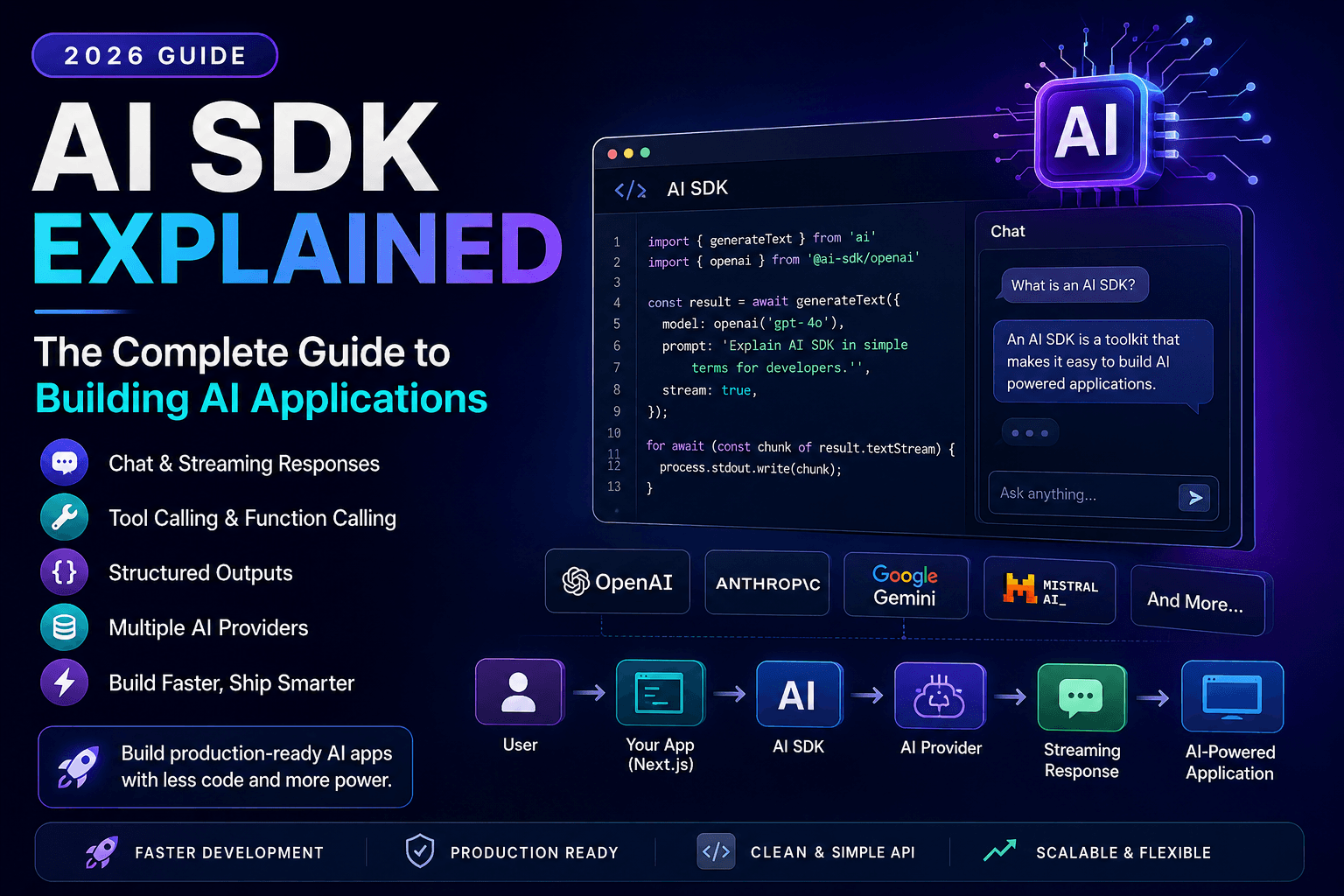
AI SDK Explained: The Complete Guide to Building AI Applications in 2026
Discover how AI SDKs simplify building AI-powered applications. Learn streaming responses, tool calling, chat interfaces, structured outputs, and production best practices.